How to Review GCP Rightsizing Recommendations Before Applying Them
Review Google Cloud rightsizing recommendations against workload peaks, service objectives, effective cost, compatibility, and change windows.
· 14 min read

Google Cloud generates machine-type suggestions by identifying mathematical underutilization over a specific time period. These GCP rightsizing recommendations are candidates for human review because the recommender algorithm does not know your upcoming release schedule, latency objectives, or deployment-pipeline constraints. Treating these findings as automatic orders often degrades performance and causes unexpected downtime.
Validating these recommendations against actual workload behavior and operational requirements filters out false positives. This structured review confirms technical compatibility and helps you plan safe maintenance windows before altering infrastructure, allowing your team to retain control over system reliability while capturing legitimate cost efficiencies.
Google Cloud Recommenders evaluate specific product and resource types, so an individual Compute Engine virtual machine, a managed instance group, and a Google Kubernetes Engine cluster each receive recommendations based on distinct logic. Identifying the resource boundary allows you to route the candidate to the engineering team responsible for that service. Validating a recommendation for a standalone database host involves very different operational risks and steps from validating one for a stateless worker node in a managed pool.
FinOps AI's approval-gated remediation workflow, with a post-check after each change and automatic rollback of reversible changes, runs on AWS only. For Google Cloud, FinOps AI provides multi-cloud cost and usage visibility, so you can view GCP spend beside your AWS costs, and it flags VMs that its own Cloud Monitoring measurements show as idle, as well as VMs left stopped. It does not surface Google's machine-type resize recommendations, so review those with the steps below and apply approved changes through your own deployment process. Keeping a person in the review helps stop cost reductions from compromising service availability or performance targets.
Step 1: Check Whether the Evidence Covers the Workload
A short monitoring window can miss a workload’s operating cycle. Comparing the recommendation’s date range with scheduled batch work, month-end processing, releases, and seasonal traffic peaks reveals whether low utilization indicates safe headroom. For example, a database that idles for three weeks and runs at maximum capacity during the last week of the month shows low average utilization. Downsizing it based on that average causes the month-end process to fail. A low average requires validation against known peaks before resizing.
Workloads rarely operate in a perfectly uniform pattern from week to week. Enterprise environments frequently run quarterly accounting reconciliations, periodic database re-indexing, scheduled vulnerability scans, or marketing-driven traffic bursts that occur outside regular daily patterns. When a recommendation engine evaluates an infrastructure asset during a quiet operational period, it generates a proposal based on incomplete reality. Reviewers must determine if the sample period included the operational stress points that justify the current resource allocation.
Compute Engine VM Recommendations
Google Cloud’s Compute Engine uses Cloud Monitoring data from the previous 8 days to recommend machine type changes. Its CPU recommendations are based on utilization averaged over 60-second intervals. The algorithm suits workloads with weekly patterns and persistent underutilization, but it is less suited to infrequent spikes and brief CPU bursts.
Because the calculation averages CPU utilization across 60-second blocks, transient computational spikes that saturate a processor for ten or fifteen seconds get smoothed out mathematically. If an application relies on rapid, bursty compute capacity to handle real-time messaging or synchronous payment processing, the recommender might interpret that instance as severely underutilized. Downsizing that instance cuts the available processing cores, which can transform transient micro-spikes into prolonged processing bottlenecks that degrade user experience.
A service experiencing heavy traffic primarily on the tenth day of every month might not show that requirement in the standard eight-day window. Evaluating the workload's calendar prevents resizing errors. When the service owner confirms the eight-day window missed a heavy operational period, you can defer the change until you observe the instance during its peak load. Similarly, if an instance was recently deployed or modified within the past week, the eight-day dataset will reflect transitional setup activity rather than a steady-state production baseline.
Google also does not show a recommendation when the estimated saving is less than $10 a month. A lack of visible recommendations indicates that the mathematical threshold for a specific eight-day period was not met, rather than proving a VM is optimally sized. Do not mistake the absence of a recommendation for an endorsement of your current architecture. An unflagged VM might still cost your organization substantial sums if it is slightly overprovisioned across hundreds of running instances, just as a flagged instance might save only eleven dollars while introducing notable service risk.

GKE Workload Recommendations
Containerized workloads follow a different evaluation path. GKE uses a 15-day observation period for its workload-level guidance. It classifies a workload as underprovisioned if CPU or memory utilization exceeds 150% for at least 10% of that period. Conversely, a workload is marked overprovisioned if utilization stays below 50% for at least 90% of the observation window.
This longer fifteen-day window captures two full weekly cycles, making GKE recommendations broader than standard VM metrics. However, interpreting these thresholds requires understanding how Kubernetes schedules and manages container resources. Workload recommendations in GKE focus on adjusting container CPU and memory requests and limits within the deployment specification. When you reduce a container request based on overprovisioning signals, you permit the Kubernetes scheduler to pack pods more densely onto nodes, which can indirectly reduce cluster node counts and lower compute costs.
GKE waits up to three days before generating recommendations for a newly deployed workload. Ignoring early usage metrics on a new microservice allows the platform to gather sufficient baseline data. During these initial seventy-two hours, the system avoids making premature assertions while containers initialize, run migrations, and settle into their standard operating profiles.
Assessing specific runtime behaviors prevents misinterpreting the data. Batch workloads intentionally run at high utilization to process queues quickly, generating an underprovisioned flag for a system functioning as designed. When an extract-transform-load worker runs at full capacity to process a nightly data drop, flagging it as underprovisioned suggests increasing resources when the current duration is already acceptable to the business.
GKE also has limited visibility into memory use for JVM-based workloads. The Java Virtual Machine reserves memory blocks that the orchestrator registers as consumed, independent of the application's active memory usage. The container engine inspects memory consumption from the outside, seeing that the JVM heap allocation has claimed ninety percent of the container limit. It cannot see that the application inside the JVM is using only thirty percent of that heap space and garbage collection is operating smoothly. As a result, the recommender might decline to suggest memory reductions that are safe, or it might suggest unwarranted increases if heap settings are misconfigured.
Generating financial estimates for GKE recommendations also requires specific configuration. Projected workload cost or savings calculations rely on historical spending data from the previous 30 days. These cost projections are not guaranteed future results, and they appear in the console only when GKE cost allocation is actively enabled and your user account possesses the required billing permissions.
Step 2: Test the Candidate Against Service Objectives
Resource utilization describes the percentage of designated capacity currently occupied, rather than measuring whether a service is meeting its operational objectives. A finding highlighting unused compute cycles requires validation against the application's performance metrics.
High utilization does not inherently mean a service is failing, and low utilization does not automatically prove an instance is wastefully oversized. A system built for safety margins might intentionally maintain sixty percent idle compute to absorb sudden failover traffic from another zone. If you strip away that buffer purely to satisfy a utilization target, the service loses its resilience against unexpected traffic surges or upstream outages.
The service owner can compare the proposed capacity reduction with their existing latency, availability, error-rate, throughput, and queue-age targets. An application might maintain a low average CPU while requiring high compute availability to process incoming requests within a strict 50-millisecond response window. Downsizing the instance limits the available compute threads. This reduction can push response times outside the acceptable service level objective long before the CPU hits full utilization.
For event-driven microservices and message consumers, queue metrics provide a far more telling picture than raw hardware saturation. If a message-processing worker runs at thirty percent CPU utilization but begins accumulating queue lag whenever message ingestion increases by fifteen percent, the application is thread-bound or input-output constrained. Reducing that worker's virtual CPU count would compound queue delays and create downstream service disruptions, even though the recommender flagged the instance as a candidate for downsizing.
Compute Engine CPU utilization is a hypervisor-reported metric tracking hardware observations, which often differs from the CPU utilization reported inside the virtual machine. The hypervisor measures the execution cycles allocated to the virtual machine from the host platform's perspective. It does not possess visibility into internal operating system processes, kernel memory management, buffer caches, or thread scheduling states.
Installing the Ops Agent inside the guest operating system improves the recommender’s accuracy by providing internal context through guest CPU and memory metrics. Without the agent, Compute Engine must estimate memory consumption or omit memory metrics from its rightsizing calculations altogether. Because memory pressure can trigger the kernel's out-of-memory (OOM) killer, which terminates processes without warning, relying on hypervisor estimates alone creates severe stability risks during downsizing.
Agent metrics do not replace application-level checks, making the engineering team's acceptance signals the primary authority. If an instance shows 20 percent CPU utilization but queue age increases during daily traffic spikes, the application requires that headroom to clear the backlog. Identifying the service's primary performance indicator verifies whether the proposed instance size provides enough capacity during peak load. Before signing off on a hardware modification, evaluate the recommendation against p95 and p99 latency percentiles, database query completion times, and active error counts.

Step 3: Validate Compatibility and Effective Savings
A candidate requires technical compatibility and verified financial benefits before deployment. An incompatible machine type prevents the change, while a raw savings estimate ignoring your contracted discounts turns a beneficial project into wasted engineering hours.
Technical validation requires confirming that the proposed virtual machine shape satisfies all dependencies of the software stack running on it. Financial validation requires calculating the true net change on your organization's cloud invoice, accounting for committed pricing structures rather than simple list prices.
Check Resource and Platform Compatibility
Compute Engine does not generate machine-type recommendations for some VMs at all: those created by GKE, Dataflow, App Engine flexible environment or Managed Service for Apache Spark, those with ephemeral disks, GPUs or TPUs, and those in the memory-optimized machine family. Size managed-service VMs through the service that owns them. Attempting to manually modify a virtual machine managed by an orchestration platform causes state drift, and the controlling service will often overwrite the change, recreate the original instance shape, or fail during its next scaling event.
Evaluating the hardware configuration of the current instance identifies the remaining constraints, because machine series differ in what they support. For example, the E2 series supports no GPUs, Local SSDs or sole-tenant nodes, so moving a VM to E2 works only for a workload that needs none of them.
A smaller machine type might impose lower disk-count limits, breaking a configuration that relies on multiple attached Persistent Disks. Certain smaller machine shapes restrict the maximum number of network interfaces or cap the maximum aggregate Persistent Disk capacity that can be attached. If an enterprise database uses separate Persistent Disks for operating system files, database logs, and data storage, selecting a machine type with a lower disk attachment ceiling will prevent the instance from starting.
Reviewing the operating system image and attached licenses ensures they remain valid on the new hardware architecture. Proprietary operating system licenses, such as Windows Server, or third-party database licenses billed on a per-core basis, often impose minimum core requirements or specific family constraints. Moving to an unsupported architecture can invalidate licensing agreements or trigger billing discrepancies. Finally, verify that the target machine type operates in your designated deployment zone, because specific machine series and shapes are not uniformly available across all Google Cloud zones and regions.
Recalculate the Net Savings
The projected savings displayed in the console are estimates. To calculate them, Compute Engine bases the instance cost on the previous week’s usage and extrapolates it to 30 days, then compares that cost with the recommended machine type’s monthly cost, using both costs before sustained use discounts.
When an instance runs constantly throughout the month, Google Cloud automatically applies a sustained use discount to lower the effective price. The raw recommendation compares the full on-demand price of the current instance against the full on-demand price of the smaller instance. Factoring in the discounts already lowering your current bill reduces the net savings. If an existing N1 machine receives a thirty percent sustained use discount on your invoice, moving it to an E2 machine that does not earn sustained use discounts might produce a much smaller net financial benefit than the console suggests.
Moving to a newer machine series can alter whether an existing committed use discount remains combinable with the workload. Resource-based committed use discounts are tied to specific machine families within a specific region. If your organization purchased a three-year committed use discount for N2 vCPUs and memory in us-central1, and you downsize an N2 instance to a C2 or E2 instance, that running workload no longer consumes the purchased commitment. You end up paying for the new instance on demand while leaving the contracted commitment unused, which increases overall cloud spending instead of reducing it.
FinOps AI shows GCP spend by service before credits, so take the net per-VM figure from your billing export; for GKE, its Kubernetes cost view helps once a cluster's metrics are connected. Move changes with minimal savings to the back of the review queue. Recording the projected savings during this step allows you to verify the realized savings in your billing data 30 days after implementation. Establishing this baseline creates accountability, showing your leadership whether sizing interventions delivered their expected financial returns.
Step 4: Plan the Change Window and Verification
Implementation requires a named owner, an approved change window, and a documented recovery plan. Applying a normal VM machine-type change is a disruptive action rather than a background resize that happens while traffic flows.
Executing a modification without proper scheduling risks unexpected downtime, dropped database connections, interrupted user sessions, and corrupted data transfers. A structured maintenance plan outlines every prerequisite action, the exact command sequence, and the post-implementation health checks needed to verify that the workload has recovered.
Since Compute Engine allows machine-type changes only while the VM is stopped, a running instance must be stopped before the update and restarted afterward. If the VM uses an ephemeral external IP address, that address can change during the process, so promote it to a static external IP before resizing to preserve it. Google limits this procedure to VMs without Local SSD that are not in a managed instance group (MIG). For a MIG, apply the new machine type through the group's instance template, because stopping a MIG member can recreate it and lose data on its disks. Moving from a first- or second-generation series (such as N1 or N2) to a third-generation one (such as C3 or N4) uses Google's move-workload procedure instead, as Local SSD VMs do.
Instances with Local SSDs attached require a different procedure. Because Local SSD data ties directly to the physical host, you must move the workload to a new instance instead of attempting the standard stop-and-restart modification. Stopping a VM with an attached Local SSD discards the data residing on that flash drive. If the instance depends on Local SSD storage for transient caching or high-performance temporary tables, you must build a migration strategy that constructs a fresh target instance, attaches a new Local SSD, initializes the storage volume, and restores necessary application data.
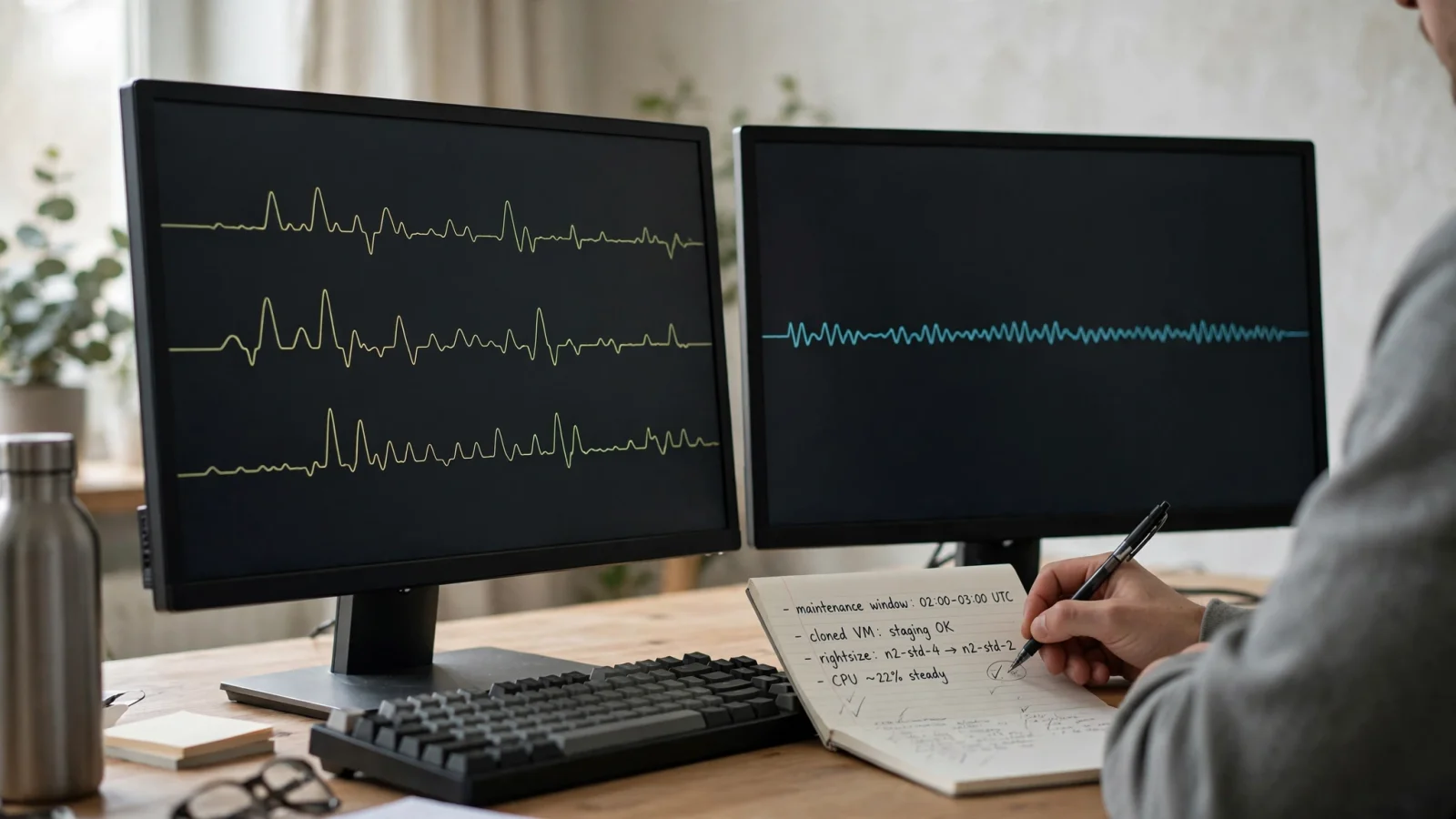
Taking a Persistent Disk snapshot before initiating a change protects mission-critical services. You can use this snapshot to test a cloned instance on the target machine type in a staging environment, verifying application startup and performance under synthetic load. Creating a test instance from a snapshot provides empirical proof that your software initializes without driver errors, memory allocation failures, or license check exceptions on the new machine shape.
Securing a capacity reservation prevents resource-availability errors when taking the production instance offline. Cloud data centers periodically experience localized capacity constraints for specific high-demand machine types in specific zones. If you stop a running VM to change its type, and the destination zone lacks immediate capacity for the requested machine shape, the instance will fail to start. Creating an on-demand reservation for the target machine type in that exact zone before stopping the instance guarantees the compute capacity is locked and available when you initiate the restart.
Handling GKE changes requires modifying the workload requests and limits in the deployment manifest to match the response-time and compute requirements defined by the service owner. Deploying the updated manifest through a GitOps or CI/CD pipeline allows Kubernetes to orchestrate the pod replacements gradually. Unlike standalone VMs, GKE can execute rolling updates where new pods with adjusted resource allocations spin up and pass readiness probes before old pods are terminated, minimizing or eliminating downtime.
Defining verification criteria and revert triggers before the change window opens establishes safety boundaries. The recovery plan documents the specific latency thresholds or error rates that force an immediate rollback to the previous instance size. If p99 latency exceeds two hundred milliseconds for more than five minutes after restarting the service, or if the application logs report database connection pool exhaustion, the engineering team executes the pre-approved rollback procedure immediately without waiting for administrative escalation.
Final Gate: Apply, Defer, or Decline
Use this decision gate to align technical requirements, service objectives, and financial realities before a change reaches your production infrastructure.
Proceed with the change when the observation period represents the workload, the service objectives maintain acceptable headroom, the hardware is compatible, and the expected savings justify the effort. The service owner then approves the maintenance window and the recovery plan. For standalone Compute Engine VMs, this means scheduling the stop-and-restart event, confirming static IP assignments, verifying Persistent Disk snapshots, and ensuring capacity reservations are in place. For GKE workloads, this means committing updated resource requests and limits through your standard continuous deployment workflow and monitoring the rolling deployment across the cluster.
Deferring the decision prevents disruptions if the monitoring window missed seasonal peaks or scheduled batch jobs. Waiting for a more representative sample provides better data. Deferment is also necessary when workload evidence is incomplete, discount treatment remains unclear, or the team cannot secure a safe maintenance window. If a major marketing campaign or quarterly financial close is scheduled within the next two weeks, deferring the change protects business operations from unnecessary infrastructure churn until the critical operational period concludes.
Decline the candidate if the proposed size conflicts with technical constraints like attached disk limits. A recommendation should also be rejected if the validated financial benefit fails to justify the operational impact of the scheduled downtime. If downsizing an instance saves only twelve dollars a month while eliminating the compute buffer required to handle failover traffic, declining the recommendation preserves operational safety. When declining a recommendation in the Google Cloud console, record the specific technical or business rationale to maintain an audit trail and help other team members understand why that resource remains at its current allocation.
Executing your verification plan after the change validates the infrastructure update. Monitoring the application signals against defined service objectives under representative traffic confirms instance health. Reviewing your billing data in the following weeks confirms the financial impact. Documenting the recommendation type, the evidence window, the projected versus realized savings, and the post-change result improves your evaluation process for future candidates. By building a disciplined, evidence-based review cycle, your organization extracts real financial efficiency from GCP rightsizing recommendations while maintaining the performance, resilience, and reliability of your production cloud services.
Bring GCP cost context, budgets, and allocation into the same workspace as your AWS environments with FinOps AI. While execution remains in your native GCP pipelines, you gain a unified view of multi-cloud spend to inform your engineering decisions. Learn more at https://getfinops.cloud.
Sources
- Cloud Monitoring data from the previous 8 days · docs.cloud.google.com
- 15-day observation period · docs.cloud.google.com
- hypervisor-reported metric · docs.cloud.google.com
- allows machine-type changes only while the VM is stopped · docs.cloud.google.com
- Google Cloud: General-purpose machine family (E2 limits) · docs.cloud.google.com