AWS Cost Optimization Hub Alternatives: 5 Options
Compare AWS-native recommendations with cross-cloud FinOps visibility and approval-gated AWS changes; GCP remediation remains operator-run.
· 16 min read
When a cloud environment grows to dozens of accounts, finding where money is wasted becomes a distributed problem. AWS Cost Optimization Hub addresses this by consolidating recommendations across an AWS organization, so having multiple accounts alone doesn't mean you need third-party software. By opting in through the management account (including all member accounts) and opting in to Compute Optimizer, financial administrators can aggregate rightsizing, idle-resource and commitment recommendations across member accounts and Regions.
For teams that need approved AWS changes rather than recommendations alone, FinOps AI centers on a safe-remediation workflow: it turns cost findings into guarded changes, checks them afterward, and rolls back reversible changes when verification fails. It also provides multi-cloud cost visibility and AI and Kubernetes spend monitoring, while GCP remediation is not currently supported.
You evaluate AWS Cost Optimization Hub alternatives when your requirements outgrow AWS-native recommendations. You might seek an alternative when you need a shared view of AWS and Google Cloud costs, deeper workload-level allocation, or an action workflow that executes changes in the infrastructure instead of stopping at a dashboard.
The native console works well when an engineering team manages a dedicated AWS footprint and relies on sprint planning for most compute and database cleanup. But as architectures diversify across cloud providers, container orchestration clusters, and foundational model endpoints, recommendations scattered across siloed tools create operational drag. Central FinOps practitioners find themselves exporting billing data to spreadsheets, cross-referencing separate reports, and chasing service owners to implement rightsizing suggestions that may already be outdated.
To determine the right fit for your operation, compare the available options across their cloud visibility, how they handle actions, and how they verify savings.
| Platform / Tool | Cloud Visibility | Action Workflow | Savings Verification | Best For |
|---|---|---|---|---|
| FinOps AI (GetFinOps) | AWS, GCP, AI, K8s | Approval-gated AWS remediation; GCP is operator-run | Ledger re-checks the changed resource after 7 days and values it at approximate AWS on-demand rates | Governed AWS execution alongside multi-cloud views |
| CloudZero | AWS, Azure, GCP, Oracle Cloud, K8s, AI providers (Anthropic, OpenAI) and SaaS sources | Recommendations ranked by impact and effort, routed to Jira and Slack, and to coding agents through its MCP server | Measures realized savings from each addressed resource's cost before and after the change, recalculated daily | Broad spend controls across diverse cloud estates |
| IBM Cloudability | AWS, Azure, GCP, OCI, K8s, plus Snowflake, Databricks, Datadog, OpenAI and Anthropic | Recommendations, ITSM tickets, and automated actions (orphaned resources, Kubernetes, commitments; in Premium, rightsizing and parking, fully automated or after approval) | Commitment coverage, utilization and effective savings rate; realized rightsizing savings for Jira-synced tickets | Finance-led enterprise allocation and planning |
| Cost Optimization Hub | AWS-native | Findings and prioritization; Compute Optimizer applies two EBS actions (snapshot-and-delete unattached volumes, volume-type upgrades) by hand or on a schedule, with rollback; other changes are made by engineers | Modeled estimates affected by future usage patterns | AWS-only teams that make most changes through engineering |
| AWS FinOps Agent | AWS cost data, anomalies, and Hub + Compute Optimizer recommendations | Investigates anomalies; summarizes recommendations into Jira tickets or Slack posts; does not change resources | Inherits estimates from Cost Optimization Hub | Anomaly root-cause investigation and routing recommendations into Jira and Slack |
1. FinOps AI: Shared Visibility, Guarded AWS Changes
A dashboard showing unused resources helps only if your team safely removes them. FinOps AI (also known as GetFinOps) serves teams needing AWS and Google Cloud cost visibility combined with an approval-first remediation workflow. The platform provides a single workspace for multi-account spend, budgets, tag governance, and anomaly flags across AWS and Google Cloud.

Visibility across environments allows financial controllers and engineering managers to evaluate total operating costs side by side. Instead of switching between Google Cloud Billing reports and AWS Cost Explorer, you can monitor organization-wide spend patterns, track budget drift, and identify unexpected billing spikes across your entire architecture. This consolidated ingestion helps resolve common tagging discrepancies between cloud providers, mapping disparate labels and tags into standardized organizational categories for unified cost center tracking.
Beyond top-level cloud billing, the platform supports reporting for specific architectural components. The system lets you monitor Bedrock and Vertex AI spend alongside Kubernetes costs and SaaS subscriptions. This creates a unified view of the workload rather than showing only the underlying compute instances.
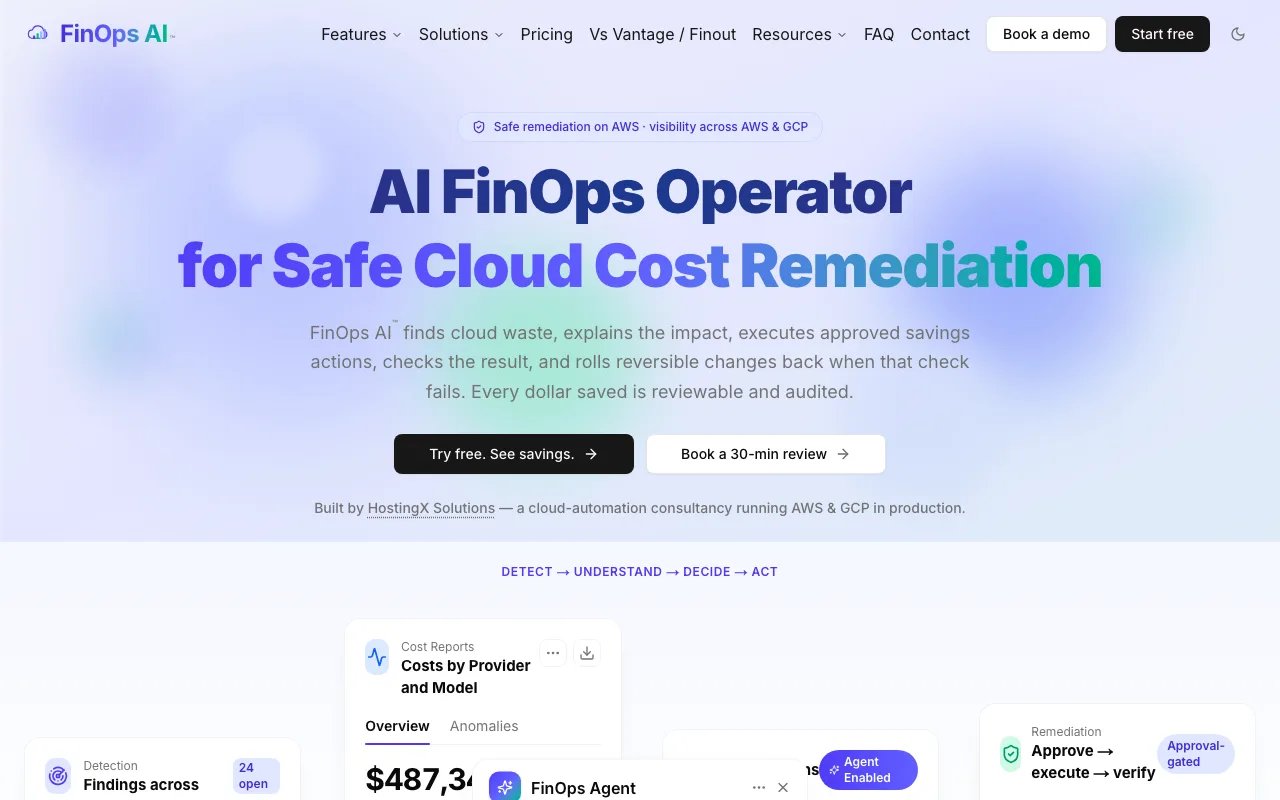
For modern engineering teams, container and artificial intelligence expenses represent a growing share of the monthly bill, yet standard cloud cost management consoles routinely hide this context beneath generic compute line items. FinOps AI breaks AI spend out by model and Kubernetes cost out by namespace, so you can see which models and namespaces drive the bill. It does not count requests or customers, so cost per customer or per request still has to come from your own usage data.
Visibility across clouds pairs with a strict boundary on execution. For AWS, FinOps AI turns cost findings into typed, approval-gated infrastructure changes. Before a change runs, it applies the account's safety rules, such as blocking changes in production accounts, and an optional cap on how many changes run in a day. After approval, the platform executes the change in AWS and checks the result: for a stop or start, the state AWS returns; for other changes, that AWS accepted the call. A reversible change that fails that check is rolled back. The changes it can make are stopping and starting EC2 instances and RDS databases, deleting EBS volumes and snapshots, adding and removing tags, and turning on S3 Block Public Access. It does not resize or terminate instances.

This execution framework addresses common failure modes associated with unsupervised automation. If an automated script downsizes an EC2 instance that subsequently fails health checks, or attempts to modify an attached EBS volume during an active I/O burst, an unmonitored change can take critical customer services offline. FinOps AI asks a person to approve each change in the dashboard, in Slack or through its MCP server, unless you have turned on automatic execution for that reversible action type. It runs the change with the role of the account the finding came from, applies it, and checks the result: for a stop or start, the state AWS returns (for example that the instance is stopping); for other changes, that AWS accepted the call. It does not watch application health, so keep your own service monitoring in place after a change.
Google Cloud management operates differently. GCP currently provides cost and usage visibility, meaning its remediation remains operator-run. The platform surfaces idle and stopped VMs and flags spikes in daily spend, and your engineering team handles the Google Cloud infrastructure changes.
This architectural boundary ensures transparency regarding what the tool can and cannot automate. While you can view unified Google Cloud metrics, track budget burn rates, and analyze project allocations, the system will not dispatch automated API modifications to your GCP environment. Platform teams maintain their customary deployment pipelines, such as modifying Terraform definitions or running internal deployment runbooks, to implement Google Cloud optimization tasks.
For AWS changes executed through the platform, FinOps AI keeps a savings ledger. Seven days after a change it checks that the resource is still in its changed state, for example still stopped or still deleted, and only then books the saving, valued at approximate AWS on-demand rates. That gives finance and engineering an audited record of which changes held; it is not reconciled with your invoice, so discounts and later usage changes are not reflected.
2. CloudZero: Multi-Cloud Recommendations and Spend Controls
If you run workloads across AWS, Azure, and Google Cloud, finding a unified cost metric requires a platform built for broad aggregation. CloudZero targets this need by providing cost recommendations, spend controls, and anomaly detection across a diverse cloud footprint. The documentation outlines provider-specific recommendations and AI-supported cost analysis, making it a strong candidate for managing complex multi-cloud deployments.
The platform emphasizes unit economics and workload visibility. It uses CostFormation rules and usage telemetry to allocate spend, including untagged and shared costs, to business dimensions such as cost per customer or cost per feature. It includes Kubernetes cost visibility, allowing you to break down cluster spend by namespace or pod without relying on rigorous manual tagging policies.
Attributing untagged infrastructure has long been a stubborn obstacle for enterprise FinOps teams. Traditional tag-based allocation models fail whenever engineers spin up transient resources, omit mandatory metadata keys, or deploy microservices across shared compute infrastructure. CloudZero addresses this problem by ingesting telemetry streams alongside raw billing files. Its allocation engine maps infrastructure consumption to architectural contexts, translating raw virtual machine hours and storage volume charges into meaningful business metrics like cost per daily active user or cost per transaction.
In addition to allocation, the platform provides automated anomaly detection so teams can respond to unexpected spend spikes before they compound over a billing period. If an engineering squad deploys a misconfigured Kubernetes daemonset or mismanages a database replication stream, the system flags the anomalous consumption trajectory against historical baselines. These automated alerts give engineering leaders the opportunity to intervene before a rogue service causes substantial financial damage at month's end.
Evaluating CloudZero requires clarifying the boundary between actionable recommendations and automated infrastructure execution. The platform tracks realized impact over time and generates specific optimization opportunities. Each recommendation comes with guidance on how to address it; your engineers or coding agents make the change, and the recommendation is marked Addressed either by you or automatically when CloudZero detects the change.
CloudZero routes recommendations into engineering tools: Jira and Slack, and coding agents such as Claude Code and Codex through its MCP server, where the change is made. Teams that want the platform itself to execute changes under its own approval gates, post-checks and rollback should ask how that maps to CloudZero's workflow.
3. IBM Cloudability: Finance-Led Allocation and Planning
You might prioritize financial planning over infrastructure automation. IBM Cloudability focuses on cost allocation, budget management, forecasting, and reporting across major cloud providers. Large organizations often adopt Cloudability to align historical billing data with future financial plans, using custom rules to distribute shared costs across business units.
Enterprises running complex organizational structures frequently struggle with shared infrastructure costs, including network gateways, container control planes, and enterprise support fees. Cloudability provides the financial modeling necessary to split and amortize these expenses across multiple subsidiaries or cost centers. Finance teams can define Business Mappings and Business Metrics (custom calculations on cost measures such as unblended and adjusted amortized cost) to build chargeback reports that align cloud consumption with departmental profit and loss statements.
Cloudability provides rightsizing recommendations for virtual machines and databases, analyzing utilization metrics to suggest smaller instances or modern instance families. Its Advanced Containers add-on, powered by IBM Kubecost, adds Kubernetes cost allocation and automated actions such as scheduled cluster or namespace turndown and automated request sizing.
The platform also provides deep visibility into commitment portfolios, such as AWS Savings Plans and Reserved Instances. It analyzes aggregate usage across linked accounts, helping financial managers understand commitment coverage and utilization percentages. By tracking expiration timelines and recommending optimal commitment purchase quantities, Cloudability helps organizations mitigate on-demand compute rates without overcommitting capital to underutilized capacity, and its Savings Automation offering can run the commitment program automatically.
Cloudability's centre of gravity is financial planning, but it is not recommendation-only. IBM describes automated termination of orphaned resources, Kubernetes sizing and commitment purchasing, and its Premium edition, which adds IBM Turbonomic technology, adds policy-driven automated rightsizing and resource parking, with actions that run fully automated, run after approval, or go to Jira or ServiceNow as tasks. Ask which resources and clouds those actions cover, and what is checked after a change.
This deliberate focus on financial reporting means that Cloudability fits best in corporate environments where the central finance office sets FinOps governance. When the primary objective is producing accurate monthly forecasts, establishing defensible departmental chargebacks, and evaluating high-level reserve capacity, Cloudability delivers deep analytical power. If your goal is closing the loop between identifying idle infrastructure and safely changing it in production, check which of its automated actions cover the resources you need, and under what controls.
4. AWS Cost Optimization Hub + Compute Optimizer: Stay AWS-Native
Evaluate your existing AWS-native tools before migrating to a third-party platform. AWS Cost Optimization Hub aggregates optimization recommendations across AWS accounts and Regions. To view findings and recommendations across multiple accounts in an organization, opt in the organization's management account for itself and all member accounts; rightsizing and idle recommendations also need Compute Optimizer turned on. The Hub surfaces rightsizing and idle-resource deletion recommendations, as well as Savings Plans and Reserved Instances opportunities. Its supported resources include EC2 instances, EBS volumes, Lambda functions, ECS tasks on AWS Fargate, and RDS DB instances and storage.
Cost Optimization Hub is not limited to one account: the management account can opt in every member account, and can register one member account as a delegated administrator that sees all recommendations on its behalf. This native consolidation allows a centralized platform team to view cross-regional waste from a single console without purchasing external software licenses. Supported recommendations encompass a wide range of services, flagging unattached EBS volumes, unutilized RDS and Aurora databases, over-provisioned Lambda memory allocations, and idle DynamoDB provisioned tables.
The Hub works in tandem with AWS Compute Optimizer, which supplies the resource-level findings based on historical utilization metrics. It helps filter, group, and prioritize these opportunities while providing links back to the relevant Compute Optimizer or Billing pages. If your environment is completely AWS-native and your engineers handle infrastructure implementation through Jira or CI/CD pipelines, this built-in aggregation often proves sufficient.
Compute Optimizer evaluates CloudWatch metrics over time to identify over-provisioned resources and propose specific alternative instance families. Because the Hub pools these findings together with pricing model opportunities, your FinOps team can review commitments alongside technical rightsizing tasks. The console lets users filter by account, Region, resource type and tag, and sort by estimated savings, giving platform engineers a clear starting point for sprint cleanups.
Understand the limitations of native savings figures. AWS describes estimated monthly savings as a quick approximation of future savings, and says actual savings depend on future AWS usage patterns.
AWS bases each estimate on past usage, leaves out the hours a resource was not running, and normalizes it to a 730-hour month, so a seasonal workload or a resource about to be retired can still make the figure differ from the later bill. Cost Optimization Hub itself does not apply changes; it links to the relevant Billing and Cost Management or Compute Optimizer page. For two EBS actions, Compute Optimizer can apply the change itself: snapshot-and-delete of volumes unattached for 32 days or more, and upgrades to a newer volume type. You pick them by hand, up to 10 at a time, or set automation rules that run daily, weekly or monthly, including in member accounts from the management account or a delegated administrator, and each action can be rolled back. Other changes, such as resizing an instance or deleting an idle database, still need an engineer to make them in the target account or through infrastructure as code.
5. AWS FinOps Agent: A Jira-and-Slack Companion
If your engineers manage their work exclusively in Jira and Slack, introducing a separate remediation interface might create friction. AWS announced the public preview of the AWS FinOps Agent on June 9, 2026, as a companion tool for surfacing and routing cost data. It retrieves optimization findings directly from Cost Optimization Hub and Compute Optimizer, allowing users to query their cost data using natural language prompts.
The preview agent adds a conversational interface to AWS cloud financial management. Instead of navigating the AWS Management Console to discover why spending spiked in an application account, a platform lead can ask the agent, which uses Cost Explorer data to tell whether usage or rates rose and, unless you remove its CloudTrail permission (included by default), searches CloudTrail for API activity around the change to suggest a likely cause. It also pulls recommendations from Cost Optimization Hub and Compute Optimizer and presents them in plain language.
The agent summarizes recommendations instead of generating separate optimization analysis. When someone asks about idle EBS volumes, the agent pulls the list from the Hub, formats the data, and provides context on potential savings. This prevents manual CSV exports and custom summary reports for engineering syncs.
Platform leads can also establish scheduled reporting routines. The agent can compile weekly cost optimization summaries and publish them to designated team channels, keeping engineering squads informed about their cloud efficiency metrics. By contextualizing opportunities within conversational threads, the agent reduces the administrative effort required to gather cost data across multiple AWS accounts.
The AWS guide describes the agent as a way to retrieve, filter, and present cost-saving opportunities from AWS Cost Optimization Hub and AWS Compute Optimizer. It can also summarize selected recommendations into a Jira ticket for the engineering team to pick up.
That distinction matters when evaluating the tool as an alternative to broader FinOps platforms. The AWS FinOps Agent is built to communicate, not remediate. While it can create a detailed Jira ticket instructing an engineer to downsize a specific compute instance, that engineer must still review the ticket, access the infrastructure, execute the command, and monitor the health of the downstream application. For teams struggling with backlog fatigue, shifting recommendations from an AWS dashboard to a Jira queue does not automatically resolve the underlying resource waste.
Choose by Visibility, Execution, and Proof of Savings
Selecting the right platform starts with defining the visibility and execution your operation needs. A tool built to map financial data to business units may not be the one your engineers use to change infrastructure. An audit of your cloud footprint can clarify the choice. If your workloads run exclusively on AWS, the Cost Optimization Hub paired with Compute Optimizer provides multi-account coverage at no additional charge (Compute Optimizer's optional enhanced metrics are billed per resource-hour). Add the AWS FinOps Agent, currently in preview, if you want those recommendations turned into Jira tickets on a schedule.
When your footprint expands, visibility requirements change. Shared visibility means viewing AWS and GCP costs in the same workspace, with spikes flagged the same way on both and budgets for both. In FinOps AI, budgets project end-of-period spend on both clouds, while the cost report's forecast comes from AWS Cost Explorer and covers AWS accounts only. Visibility also requires attributing Kubernetes costs to namespaces and AI spend to models. CloudZero and Cloudability both offer multi-cloud cost allocation; Cloudability leans into enterprise financial planning, and CloudZero emphasizes broad spend controls and unit economics.
Understanding your workload architecture determines whether a general-purpose cost tool will suffice. Modern software organizations increasingly operate container clusters that run across heterogeneous compute fleets, where shared overhead can obscure individual team consumption. Similarly, teams deploying large language models or training machine learning architectures incur fluctuating costs across proprietary inference APIs and specialized GPU clusters. A viable FinOps tool must attribute these dynamic expenses back to specific products or services, preventing shared architectural components from degenerating into unallocated cost sinks.
Execution is the sharpest dividing line between these options, but it is not a yes-or-no question: Compute Optimizer applies two EBS actions with rollback, Cloudability Premium runs rightsizing and parking automatically or after approval, and CloudZero and the AWS FinOps Agent route the work to people and coding agents. Compare which actions each tool runs, on which resources, what it checks afterwards and how it reverses a change. Generating a finding is passive. Routing a finding to a Slack channel is communication. Executing a change requires infrastructure write access. If you want to reduce the operational burden on platform engineering, look for tools that manage the full execution loop. That assessment includes permission scopes, account limits for automated actions, and production safeguards. A complete execution loop includes a post-action check, ideally one that reads the resource's new state rather than only the API's acknowledgement, along with automatic rollback for reversible changes.
For teams prioritizing this execution loop, FinOps AI pairs approval gates and account-level safeguards with post-action checks and rollback for reversible AWS changes. GCP costs remain visible in the platform, but GCP remediation is not currently supported and stays operator-run.
Infrastructure changes without robust guardrails can put availability at risk. SRE and DevOps teams often push back against third-party cost platforms because automated modifications can bypass carefully designed deployment policies. A suitable execution engine uses permissions that follow the principle of least privilege, allows production accounts to be isolated with strict blast-radius controls, and keeps an auditable log of every state transition. Ask what a tool's post-action check actually reads. FinOps AI's reads back the state AWS reports for a stop or start; for other changes it confirms only that AWS accepted the call. It does not monitor application health, so keep your own service monitoring in place after a change.
Savings verification methods dictate how you report success to the business. Modeled estimates project past usage forward: Cost Optimization Hub, for example, applies your discounts and normalizes each recommendation to a 730-hour month, but it cannot know how your usage will change. Invoice-reconciled savings wait for the billing cycle to close, factoring in Enterprise Discount Programs and complex tiered pricing. Some platforms, CloudZero among them, measure realized savings from the resource's own cost before and after the change. Resource-state checks sit between modeled and invoice figures. They query the cloud provider API after an execution to verify that the unattached volume was deleted or the instance stopped.
Relying solely on modeled estimates creates friction between engineering and finance. A dashboard might claim hundreds of thousands of dollars in potential savings, but when the monthly invoice arrives, the anticipated reduction fails to materialize because instances were scaled up elsewhere or seasonal traffic spikes intervened. Conversely, waiting for invoice reconciliation creates a multi-week lag that delays operational validation. A ledger that re-checks the resource some days after the change, as FinOps AI's does after seven days, shows which cleanups actually held. It still values them at approximate on-demand rates, so reconcile with the invoice for the final figure.
Match the platform to the workflow your engineers accept. Stay with the native stack if you are AWS-only and its EBS automation, plus changes your engineers make, covers what you need. Assess CloudZero for broad spend controls across a diverse environment, or IBM Cloudability for rigorous financial allocation. Consider FinOps AI when you require shared cross-cloud visibility paired with approval-gated AWS infrastructure execution, recognizing that GCP remediation remains in the hands of your operators.
Move beyond the dashboard and turn AWS cost findings into approved, guarded changes with post-action checks and rollback for reversible changes, while keeping multi-cloud cost visibility in view, with FinOps AI.
Sources
- view findings and recommendations across multiple accounts in an organization · docs.aws.amazon.com
- estimated monthly savings · docs.aws.amazon.com
- retrieve, filter, and present cost-saving opportunities · docs.aws.amazon.com
- automation rules · docs.aws.amazon.com