AWS RDS Extended Support Cost: Pay or Upgrade?
See how AWS RDS Extended Support costs vary by vCPU, version, and Multi-AZ setup—and compare the recurring bill with upgrade or migration costs.
· 9 min read
An AWS RDS Extended Support charge can show up on your AWS bill, but resolving it requires an infrastructure change. You can't lower it with a billing setting alone. Avoiding the fee means completing a major database upgrade, which carries the risk of downtime, application incompatibility, and broken extensions.
The decision you face is whether to pay a recurring premium for time or spend engineering resources immediately to migrate the database to a supported version. Bringing an AWS cost finding into a shared view helps finance and platform teams evaluate that trade-off. FinOps AI does not upgrade database engines, but it keeps the decision visible: RDS spend sits in the same cost view as the rest of the estate, and the AWS changes FinOps AI does make go through its guardrails and wait for an owner's or admin's approval, unless you turn on automatic execution for that action type. The database team still owns the compatibility tests, the cutover plan and the record of what the upgrade saved.
Evaluating this trade-off requires knowing exactly how AWS calculates the AWS RDS Extended Support cost, which instances in your deployment trigger the charge, and when the price increases. You also need to compare that escalating bill against the one-time cost of testing and migrating.
What the AWS RDS Extended Support charge covers
AWS does not apply a flat fee to your entire RDS bill when a database reaches its standard-support expiration. For provisioned RDS for MySQL and RDS for PostgreSQL, Extended Support is a distinct, additional per-vCPU-hour charge.
This fee depends entirely on the engine version, the AWS Region where the database runs, and the specific calendar year of the Extended Support period. AWS begins charging this per-vCPU-hour rate the day after a major version’s standard support ends, and the invoice lists it separately from your ordinary instance compute, storage, automated backup, and data-transfer charges.
AWS automatically enrolls eligible instances in this program unless you actively disable Extended Support. The service provides patches, bug fixes, and upgrades for up to three years during this transition window. You remain responsible for applying these updates and completing a major upgrade before the final Extended Support date arrives.
Extended Support charges stop when you upgrade to an engine version covered by standard support or delete the database running a major version past its support date. You can also avoid those charges by disabling enrollment for an existing DB instance or cluster; if it is already past its standard-support end date, AWS automatically upgrades it to the next supported major version. Because disabling enrollment can trigger that upgrade, keep the setting under configuration control in production.
AWS's Graviton4 benchmarks compare throughput, latency, and price-performance. For a major-version upgrade, engineers need to measure actual application requirements before deciding whether a workload can safely absorb the change.
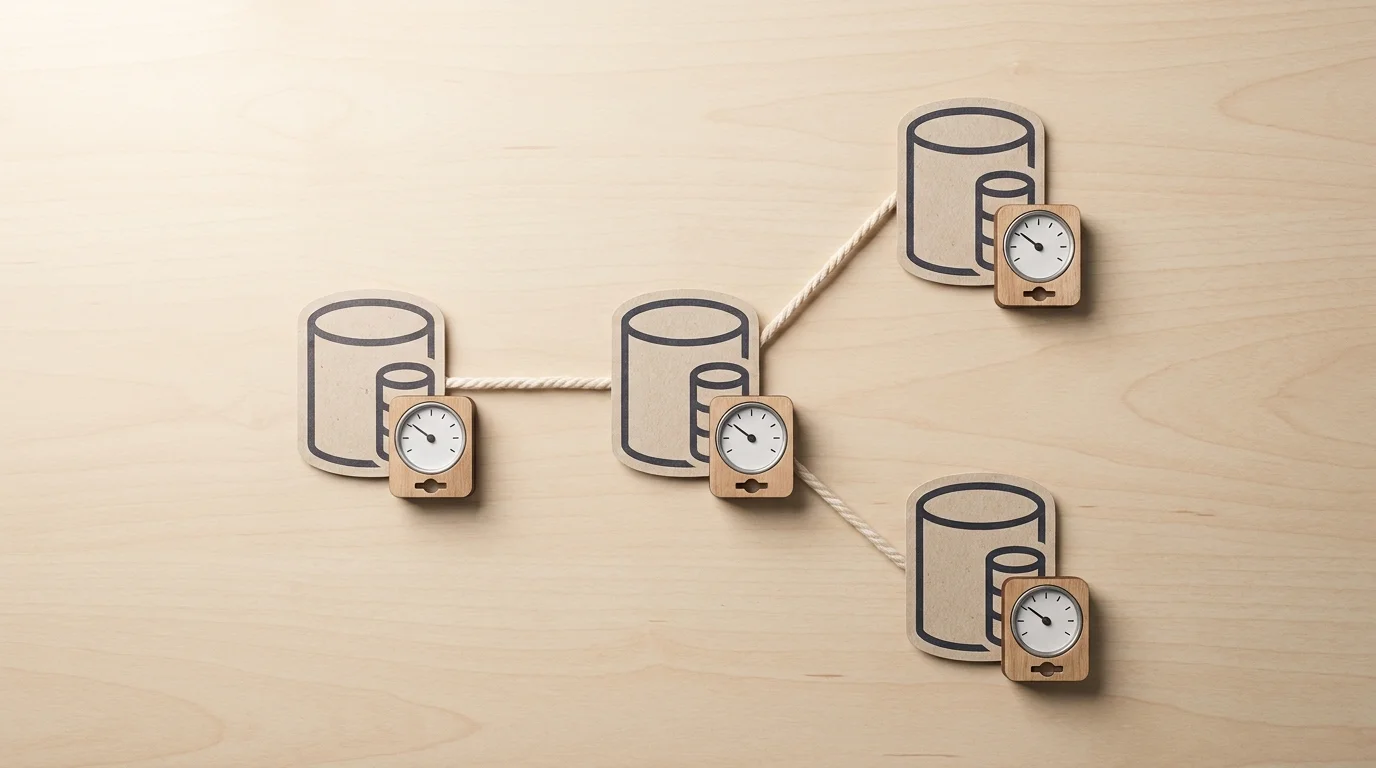
Count every eligible vCPU in the topology
Estimating the cost of an extended transition requires counting every billable processor in your deployment. A single logical database often runs across multiple underlying compute instances, and AWS applies the per-vCPU-hour charge to all of them.
You can calculate the recurring estimate by multiplying each billed instance’s vCPUs by the applicable regional rate and the expected billable hours. Include the primary instance, any qualifying read replicas, and all Multi-AZ standbys. If you run a Multi-AZ deployment with one primary and one standby, both incur the charge. A primary with two readable standbys results in all three instances incurring the per-vCPU-hour fee.
Discounts that lower your baseline compute costs do not reduce this fee. Reserved Instance (RI) commitments apply only to the ordinary RDS instance usage, leaving the Extended Support charge billed at its full on-demand rate. Snapshots themselves do not incur an Extended Support fee while sitting in storage. Restoring an old snapshot to a new instance running a past-support version will trigger the fee immediately upon creation.
Example calculation for a third-year pricing period
Pricing phases increase the cost the longer you delay the upgrade. AWS charges a Year 1 and Year 2 rate, then doubles that rate when the database enters its third year of Extended Support.
Using AWS’s pricing example for MySQL 5.7 in the US East (Ohio) Region, the rate is $0.10 per vCPU-hour for the first two years, then increases to $0.20 per vCPU-hour starting March 1, 2026. As of October 16, 2026, MySQL 5.7 operates in its third-year pricing period. The following table estimates the resulting charges for a 2-vCPU db.r5.large instance over a full 8,760-hour year, relying on the live Amazon RDS for MySQL pricing details.
| Example topology | Total vCPUs counted | Extended Support at $0.20/vCPU-hour |
|---|---|---|
| Single-AZ, one 2-vCPU instance | 2 | About $3,504/year ($292/month average) |
| Multi-AZ, 2-vCPU primary plus one equal-size standby | 4 | About $7,008/year ($584/month average) |
| Primary plus two equal-size readable standbys | 6 | About $10,512/year ($876/month average) |
These figures represent only the Extended Support premium for this specific version and Region. They exclude the base compute costs for the instances, allocated storage, backups, network transfer, taxes, and any temporary resources spun up for a migration. Check the AWS pricing page or use the AWS Pricing Calculator for your exact engine version and Region, because the rate depends on the Region, the major version and the Extended Support year, and Aurora Serverless is billed per ACU-hour rather than per vCPU-hour.
Match the engine version to its billing deadline
Accurate forecasting depends on knowing exactly when your specific engine version shifts from standard support to Year 1 pricing, and eventually to Year 3 pricing.
The dates below reflect the major-version lifecycle calendar as of October 16, 2026. Because standard support for both MySQL 8.0 and PostgreSQL 13 ended earlier this year, those versions are currently incurring the Year 1 per-vCPU-hour charge.
| Engine major | RDS standard support ends | Year 1 pricing starts | Year 3 pricing starts | RDS Extended Support ends | Status on October 16, 2026 |
|---|---|---|---|---|---|
| MySQL 8.0 | July 31, 2026 | August 1, 2026 | August 1, 2028 | July 31, 2029 | Extended Support period has started. |
| PostgreSQL 13 | February 28, 2026 | March 1, 2026 | March 1, 2028 | February 28, 2029 | Extended Support period has started. |
| PostgreSQL 14 | February 28, 2027 | March 1, 2027 | March 1, 2029 | February 28, 2030 | Upcoming Extended Support start. |
The transition from Year 2 to Year 3 pricing is an acute risk for long-term forecasts. If a modernization project stalls and pushes a PostgreSQL 13 database past March 1, 2028, the monthly Extended Support bill will instantly double without any change to the underlying infrastructure.
The minor-version requirement
Tracking the major version is necessary, but AWS enforces strict policies around minor versions as well.
According to the release calendars for Amazon RDS for PostgreSQL, minor versions 14.18 and 14.19 reach the end of standard support on October 31, 2026. The broader PostgreSQL 14 major version does not reach its standard-support end until February 28, 2027. That minor-version deprecation date is separate from the major-version Extended Support billing start date.
When standard support ends, RDS moves an enrolled database to the last minor version released before that date, if it is not already running it. After that, Extended Support fixes arrive as new RDS minor versions, and applying them is your responsibility. Check the live AWS lifecycle calendar and your deployed instances to confirm both the major and minor versions align with your compliance requirements.
Compare the support bill with upgrade or migration costs
Upgrading a major database version requires testing, planning, and execution time. The core financial decision is whether the one-time cost of that upgrade effort is lower than the accumulated Extended Support fees for the duration of your planned delay.
Compare the forecast Extended Support cost against the actual engineering plan, not against the total existing database bill. The base compute and storage costs will remain after the upgrade, so only the Extended Support fee and the one-time migration expenses belong in the savings equation. For a separate example of how utilization data can inform infrastructure planning, Lambda's provisioned-concurrency metrics show utilization and spillover: high spillover can indicate a need for more provisioned concurrency, while consistently low utilization can indicate over-allocation. This kind of usage analysis can also inform estimates of the overlapping infrastructure required for a safe database migration.
Forecast the support cost during the delay
Determine exactly how many months the application team intends to delay the upgrade. Multiply that duration by the hourly fee across every eligible instance, factoring in standbys and read replicas.
If the planned delay crosses into the Year 3 pricing window, use the doubled rate for the remaining months. This yields your total avoided cost: the amount of money you save by upgrading today instead of waiting.
Estimate the one-time upgrade effort
Major upgrades can introduce backward-incompatible changes. Applications that rely on deprecated SQL syntax, specific extension behaviors, or undocumented query planner quirks may fail after a major version jump.
Your one-time upgrade cost includes the engineering and QA hours required to test the new version. For PostgreSQL, AWS runs prechecks before allowing a major upgrade, but most PostgreSQL extensions must be upgraded separately. Parameter groups also require review, as default memory allocations or connection limits often change between major releases. Assign an hourly rate to the engineering team's time and estimate the hours required for compatibility work, staging tests, and cutover planning.
Include the migration overlap cost
Minimizing downtime usually requires running the old and new databases simultaneously during the transition. AWS RDS Blue/Green Deployments provide a managed way to handle this by creating a separate synchronized staging environment where switchover downtime typically lasts under one minute. You pay for that duplicate environment because the retained blue instance continues to incur standard compute, storage, and RDS for PostgreSQL pricing charges until you delete it.
If the testing phase lasts three weeks, add three weeks of duplicate database costs to your one-time upgrade estimate. Also verify that your specific engine version and configuration are eligible for Blue/Green Deployments, as some topologies and extensions preclude this feature.
Calculate the break-even point
Combine these factors into a planning formula to determine when the project pays for itself:
Break-even months = one-time upgrade cost ÷ (monthly Extended Support bill avoided − monthly incremental cost after upgrade)
If the upgrade project costs $12,000 in engineering time and parallel compute overlap, and the Extended Support fee is $876 per month, the break-even point sits at roughly 14 months. If the denominator is zero or negative, perhaps because the new major version requires larger instance sizes to maintain the same performance, the upgrade does not pay back on Extended Support savings alone.
Financial payback is only one variable. Security policies, compliance mandates, and access to new engine features often force an upgrade regardless of the break-even timeline. Platform teams can watch RDS spend in FinOps AI's cost view before and after the cutover to see the effect of the upgrade. The Blue/Green deployment itself, and its approval, stay in your own change process: FinOps AI's guardrails govern only the AWS changes FinOps AI makes.
Turn the estimate into an owned, verified plan
Avoid letting databases drift into Extended Support by default. You can build a clear process that forces a conscious decision before the billing begins by inventorying your current fleet first. Document each database’s engine, major and minor version, AWS Region, vCPU count, deployment topology, and current owner. Next, check the AWS lifecycle calendars to find the exact date standard support ends for each major version, and validate the minor-version requirements for your specific engine.
Forecast the resulting charges instance by instance, because a spreadsheet that treats a logical Multi-AZ database as a single instance will severely underestimate the invoice. Break the topology down into its constituent primary, standby, and read replica nodes, applying the regional per-vCPU-hour rate to each. You can then model the upgrade or migration costs separately, defining the parallel-environment period and the engineering effort required to test the new version.
Assign an engineering owner and a firm decision date before the first billable day arrives. The team documents whether they are accepting the Extended Support charge as a short bridge to an upcoming migration or as an open-ended postponement.
Finally, count avoided fees as realized savings only after the upgrade finishes and the cloud invoice confirms the per-vCPU-hour charges have stopped. This maintains visibility over the entire lifecycle, ensuring that if a change requires reversal, the rollback decision remains with the engineers who understand the application's data integrity.
Ready to put guardrails on the AWS changes FinOps AI makes for you? FinOps AI connects multi-cloud visibility with an approval-first remediation loop for supported AWS findings, with post-action checks and a ledger of savings that held. See how FinOps AI works.
Sources
- automatically upgrades it · docs.aws.amazon.com
- Graviton4 benchmarks · aws.amazon.com
- Amazon RDS for MySQL pricing · aws.amazon.com
- release calendars for Amazon RDS for PostgreSQL · docs.aws.amazon.com
- provisioned-concurrency metrics · docs.aws.amazon.com
- RDS for PostgreSQL pricing · aws.amazon.com