Calculate AI Agent Cost per Task
Calculate cost per successful AI agent task with every model call, retry, billable tool, runtime cost, and verified outcome—not tokens alone.
· 8 min read

Calculating the exact AI agent cost per task requires looking past the final prompt response. When a platform manages multi-turn work, a single user request triggers a cascade of underlying operations. A complete task involves system instructions, retrieved context, multiple model calls, external tool execution, retries, and allocated runtime services.
To determine the true cost of an AI workload, measure the full sequence against a verified outcome. Factoring in success changes the calculation entirely. If an EC2 instance sits idle and you want an agent to remediate it, FinOps AI provides an approval-first AWS remediation loop for that scenario. The system flags the idle instance, proposes a typed stop, and waits. An owner or admin reviews the proposal and approves it within the configured guardrails, and the platform then executes the change. Afterward, a post-action check confirms the instance state that AWS reports back. If a reversible change fails that check, the platform rolls it back automatically.
A repeatable measurement workflow allows you to calculate the cost per successful task across a measured cohort. Before starting, get access to your cloud provider's billing reports, a telemetry schema capable of capturing prompt and output usage per attempt, and a defined set of task classes to evaluate.

1. Define the Task Boundaries and Success Criteria
A task represents a bounded user or business goal rather than a single model call or an agent turn. Counting the cost of success requires defining what a successful outcome looks like for specific types of work.
Create separate task classes with explicit acceptance criteria. Running a FinOps AI workflow might involve establishing two distinct classes:
- Finding or recommendation task: Did the system identify an eligible cost-saving opportunity and produce an acceptable proposed action?
- Remediation task: Was the typed change approved, executed within guardrails, and confirmed by the post-action check?
Establish a unique task ID for every initiated goal. When a task requires multiple steps, encounters errors, or spans several minutes, this ID correlates the disparate traces. Grouping model requests, tool calls, retries, and the final outcome into a single unit of work relies on that identifier.
A task counts as successful only when it meets the stated criteria. Under this definition, a rollback after a failed post-action check counts as a successful safety response, while the remediation task itself remains unsuccessful. Track it as a separate outcome, retain the incurred costs in the cohort total, and exclude it from the count of successful completions.
2. Capture Usage per Call and Attempt
Pricing can vary across calls in an AI agent task, so calculate model expense by summing the billed input and output usage for every call in the task trace. AWS Bedrock publishes model- and service-specific pricing, so a reliable cost calculation records the provider, exact model, region, and applicable pricing tier.
Record the usage fields for every step. Include the system instructions, conversation history, retrieved content, and tool definitions wherever the provider bills for them. To structure those records, the OpenTelemetry GenAI agent-span semantic conventions define how to represent agent and tool operations in telemetry.
If your architecture relies on Google Cloud models, the 2026 GenerateContentResponse REST reference exposes distinct usage fields for prompt tokens, cached content, generated candidates, tool-use prompts, and thought tokens. Capturing these granular fields in your telemetry allows you to apply the provider's billing rules and convert the counts into dollars later in the workflow.
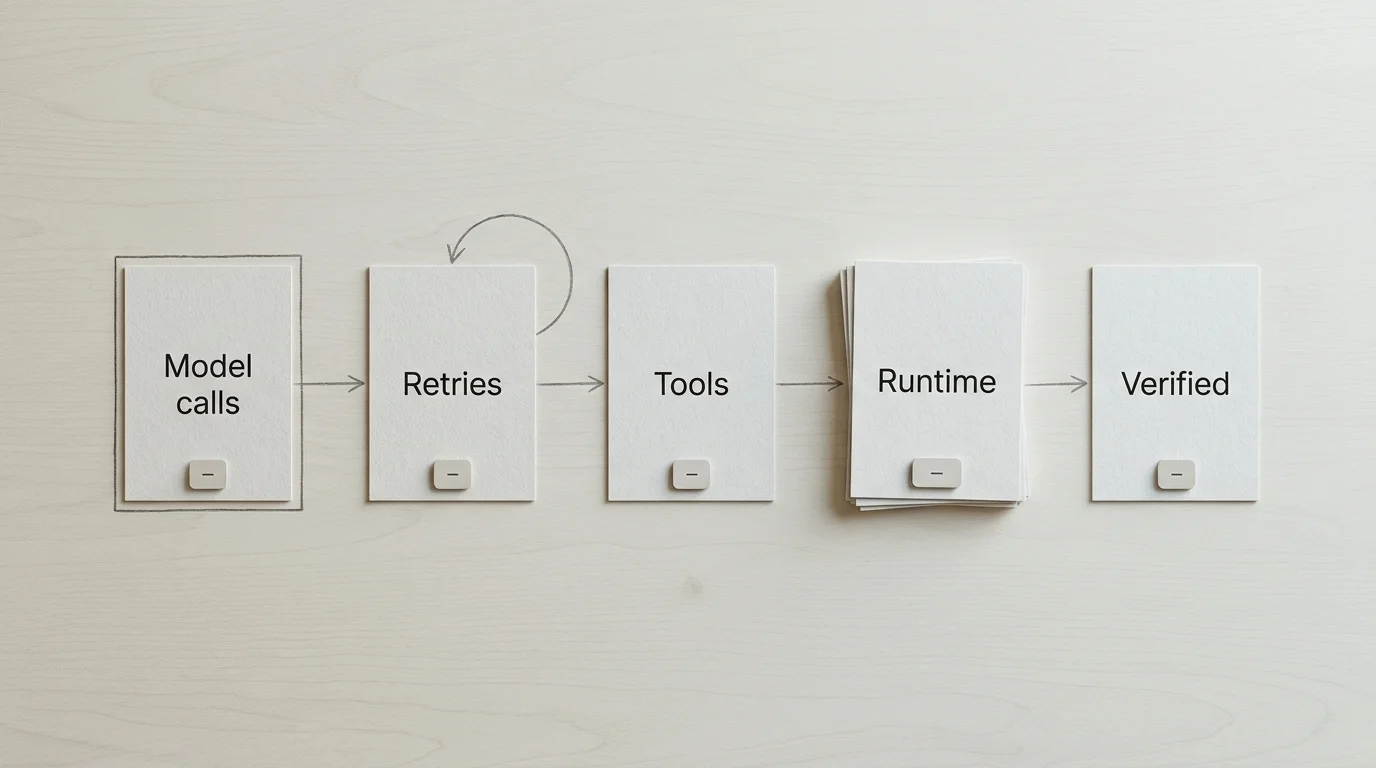
3. Include Retries, Tools, and Allocated Runtime
An agent's operating cost extends beyond the large language model. Calculating an accurate cost per task requires incorporating the surrounding infrastructure and any external services the agent invokes.
Track these components for every task ID:
- Retries and failed paths: Record the attempt count and the cause of any failure, charging the billed usage and service activity for each attempt. A retry rarely carries a flat extra charge, so rely on the provider-reported usage or actual service charges where available. Keep a separate attempt ID if tasks loop or retry frequently.
- External tools and services: Log which tools ran alongside their specific outcomes, adding the actual billable work those tools performed. Metered search queries, code-execution environments, and serverless function invocations all carry direct charges. Count the tool calls as operational data while converting the resulting compute or API usage into a dollar cost.
- Agent runtime and supporting services: Include attributable compute, memory or session use, storage, networking, and logging.
Separate your accounting into two views. The marginal run cost includes model usage, billable tools, and task-attributable runtime. The fully loaded cost adds an explicitly allocated share of standing capacity, shared infrastructure, observability, evaluation models, and platform fees to that baseline. If you choose to include human approval labor in the fully loaded view, present it separately from cloud and API charges.
4. Reconcile Traces With Cloud Billing
Telemetry provides operational context without serving as a final invoice. Before finalizing your cohort data, compare the task-level estimates generated from your telemetry with the provider billing records over the same period.
Different cloud services handle observability and billing separately. AWS documentation notes that an invocation may make multiple model calls, so traces explain activity but don't serve as a bill. To find the actual charges incurred by the relevant service roles, check Cost Explorer or the Cost and Usage Report (CUR) for verified AWS billing.
Apply the appropriate current rate to each model and billable service in your trace data. Your cost estimate should align with the metered charges in your cloud account. Reconciling these numbers ensures that bulk discounts, provisioned throughput pricing, or cached-token rules are accurately reflected in your task costs.
5. Classify Outcomes and Run the Calculation
With the usage gathered and priced, record the final state of each task against your acceptance criteria. For a FinOps remediation workflow, preserve states such as verified, rolled_back, approval_rejected, timed_out, and failed.
To calculate the metrics for your cohort, apply this specific formula structure:
Divide the total attributed cost for all task requests in the cohort by the number of unique tasks that meet the success criteria to find the cost per successful task.
Include the costs from all failed tasks and billed retries in the numerator. Dividing the total operating cost of the entire cohort by only the successful outcomes makes failure costs visible in the final metric rather than excluding them.
Calculate the success rate by dividing the unique tasks that meet the criteria by the unique tasks started. You can also determine the average cost per started task by dividing the total cohort cost by those unique started tasks. For the same cohort, dividing the average cost per started task by the success rate will equal the cost per successful task.
Build a worksheet schema to standardize this reporting. Include columns for task_id, task class, provider/model, model calls, billed input/output usage, retries, tool/service charges, allocated runtime/logging, outcome, and total cost.
An Illustrative Example
To demonstrate how the math works, consider a measured cohort of 100 unique remediation task requests. This arithmetic serves only as an illustration, independent of provider quotes, industry benchmarks, or observed FinOps AI results.
Assume the following costs accumulate across the cohort:
- Model usage, including billed retries: $20
- Billed tool and service usage: $3
- Allocated runtime and observability: $1
- Total cohort cost for 100 started tasks: $24
Out of the 100 started tasks, 80 meet the strict success criteria of being approved, executed, and passing the post-action check. Classify the other 20 outcomes separately. An approval rejection may reflect a human decision, and a rollback reflects an effective guardrail, yet neither produces a verified remediation under this specific definition.
Run the calculations:
- Average cost per started task: $24 divided by 100 equals $0.24.
- Success rate: 80 divided by 100 equals 80%.
- Cost per successful task: $24 divided by 80 equals $0.30.
The $0.06 gap between the average cost per started task and the cost per successful task reflects how costs from failures, retries, and rejected changes raise the average cost per verified remediation.
Common Failure Modes
When tracking metrics, specific measurement errors distort the results. Watch for these failure modes as you build your workflow.
Double-Counting Cached Tokens
Provider billing rules for context caching can complicate telemetry estimates. If a provider reports both total prompt tokens and a subset of cached tokens, applying the standard input rate to the total count inflates the cost. Reviewing the provider's specific GenerateContentResponse or usage payload allows you to apply the discounted cache rate to the cached subset and the standard input rate only to the remaining new tokens.
Assuming a Tool Call Always Carries a Flat Cost
Agent frameworks often log a "tool call" as a single event. Treating that event as a flat dollar amount ignores the underlying infrastructure costs. A tool call to a serverless function that times out after 15 seconds costs more than a call returning a cached string in 50 milliseconds. Rely on the actual service activity logged by the tool rather than the framework's event counter.
Using Incomplete Evaluation for Multi-Turn Tasks
Treating a final model response as proof of task success artificially inflates the success rate. For multi-turn workflows, evaluate trajectory and tool-use quality with frameworks like Google's 2026 Agents CLI Evaluation Guide. A final response might look correct while hiding inefficient tool loops or hallucinated intermediate steps that drove up the run cost.
Subtracting Savings from the Operating Cost
When measuring a cost-optimization agent, keep the verified savings separate from the task cost numerator. If an agent costs $0.50 to run and deletes an unattached storage volume saving $10, the expense remains $0.50. Mixing the two numbers hides the operating margin of the agent system itself. You can compare the operating cost and the verified savings later as an ROI measure while keeping the accounting ledgers distinct.
Verification and Next Steps
Verifying your measurement workflow involves running a tightly controlled cohort of tasks over a 24-hour period before pulling an internal telemetry report showing the estimated cost per started task. The following day, open the cloud provider's billing dashboard to isolate the resource tags or service roles associated with that specific agent workload. The marginal run cost in your worksheet needs to align closely with the metered charges on the invoice. If the invoice doesn't align with your estimate, check for untracked retries, unaccounted tool executions, or missing system prompts in the telemetry schema.
Establishing an accurate measure of operational expenses allows you to compare the system's cost against the value it delivers. For teams managing complex environments, FinOps AI brings Google Cloud and AWS cost visibility into one workspace, covering AI spend, Kubernetes workloads, and general cloud waste.
While GCP currently provides cost and usage visibility, the platform's AWS capabilities support the full approval-gated remediation lifecycle. It generates typed changes, checks guardrails before each approved change runs, routes changes to an owner or admin for approval (in the app or in Slack), executes them, and runs a post-action check that rolls reversible changes back automatically if the check fails. When an instance is stopped or an EBS volume or snapshot is deleted, the estimated saving is booked as pending and re-checked in AWS about seven days later; only changes that held count, and the figures are estimates, not reconciled with your cloud invoice.
Stop guessing at the cost of your optimization workflows. Build a traceable system for AWS and GCP spend, put safety limits on the changes you approve, and track what each change did with FinOps AI. Learn more at https://getfinops.cloud.
Sources
- AWS Bedrock publishes model- and service-specific pricing · aws.amazon.com
- OpenTelemetry GenAI agent-span semantic conventions · github.com
- 2026 GenerateContentResponse REST reference · cloud.google.com
- Google's 2026 Agents CLI Evaluation Guide · google.github.io